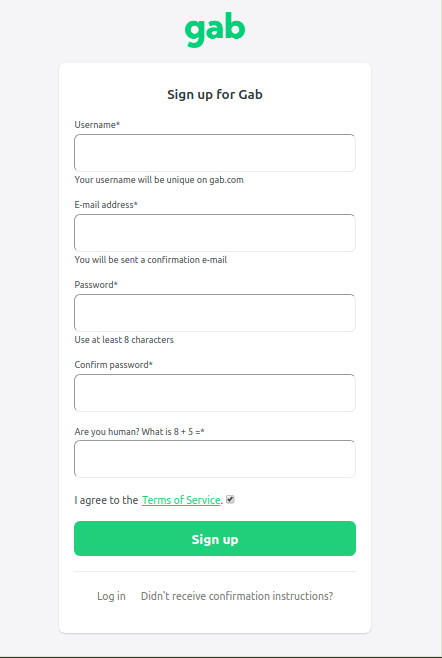
To create a Gab account you will need to fill in the following fields shown. You will need to submit a username and email that are original and haven't been previously used. The username will become your account's user name (@ name). You may only change your username once per day Check the box to agree to the terms of service. Our terms of service state you must be at least 18 years old to use the site.
Before signing in you will receive a confirmation email to confirm the email address you provided. If it's not found in your inbox, please check your spam/trash folders. If you can't find the email verification, please contact @support or @help. Some emails may block Gab's confirmation email (like Yahoo or AOL). A different email service provider may be work better for you.
After creating your account, you may edit your email and password in your Profile / settings. The account name (@ name) is the one used to send gab posts on the site. When creating a post, use your friends account (@) name in the post. They will receive your message in their notifications. Account verification (blue check mark) is an option after you've upgraded to a Gab Pro subscription. You can send the request for account verification in your account settings.
Account Verification Blue Checkmark - an option for Gab Pro Subscribers
All PRO users can be verified so long as they are not impersonating someone else. Add your Gab username in the bio of an account on another platform and send us a link to your profile on that platform.
Process: 1. Upgrade to Gab Pro https://pro.gab.com/ 2. Add your Gab username to the bio of your account on another platform. I.e. Follow me on Gab: Gab.com/gab 3. Ensure that your Gab display name is not impersonating someone else. 4. Apply for verification in your Profile https://gab.com/settings/verifications/requests
It may take up to 7 days for the review process to be complete by the support team.
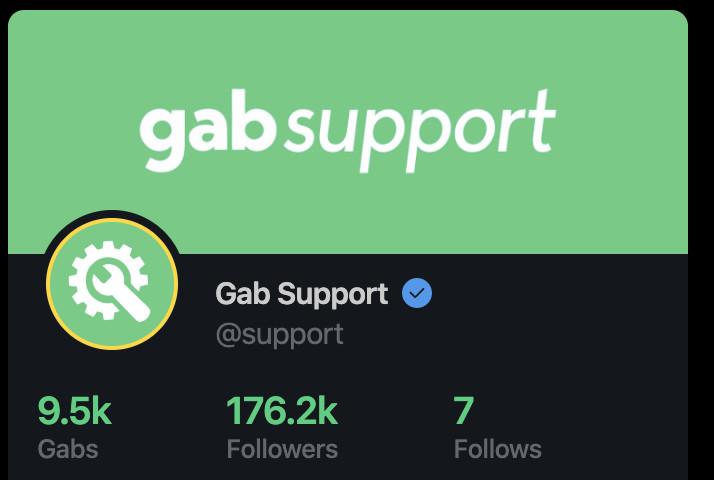
Your gab profile page shows your user stats and tabs in more detail. You can also edit your banner and avatar.
View your profile Click your avatar in the corner of your screen, select Profile On a gab post / comment, click your avatar or user name Navigate to your profile page with the url: gab.com/YourUserName example: gab.com/help
Edit your profile's banner, avatar or bio. Set your account to private. *This will reduce your engagement with other gabbers, by limiting who can see your posts (followers only).
Gab user stats - click/tap any of the stats to open the list to view or manage. Gabs - number of gab posts you've created Followers - gabbers that follow you Following - gabbers that are following you. Likes - number of upvotes / likes
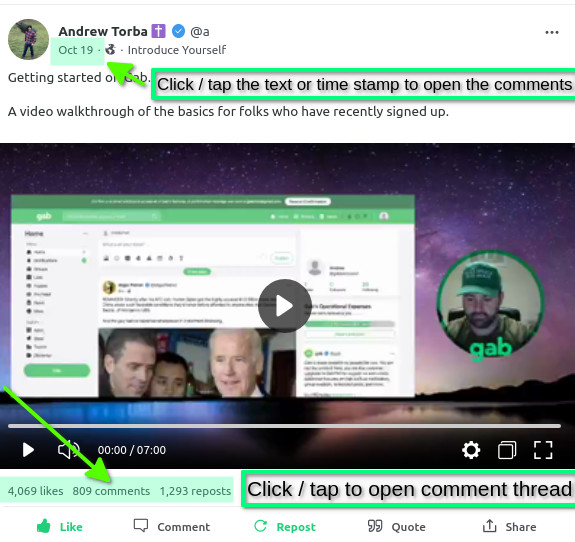
Timeline / Comments / Photos / Videos / Bookmarks Timeline: any pinned posts, followed by posts that you've created or reposted. Comments: posts from other gabbers that you when you have commented / replied. To open the thread, click/tap on comments or the text of the post to open the comment string / thread. You can also click the timestamp in the post to open the thread. Photos - images you have recently uploaded in a gab post Videos - videos you may have uploaded in a gab post Bookmarks - gab posts that you have bookmarked (favorited) *Gab Pro Feature*
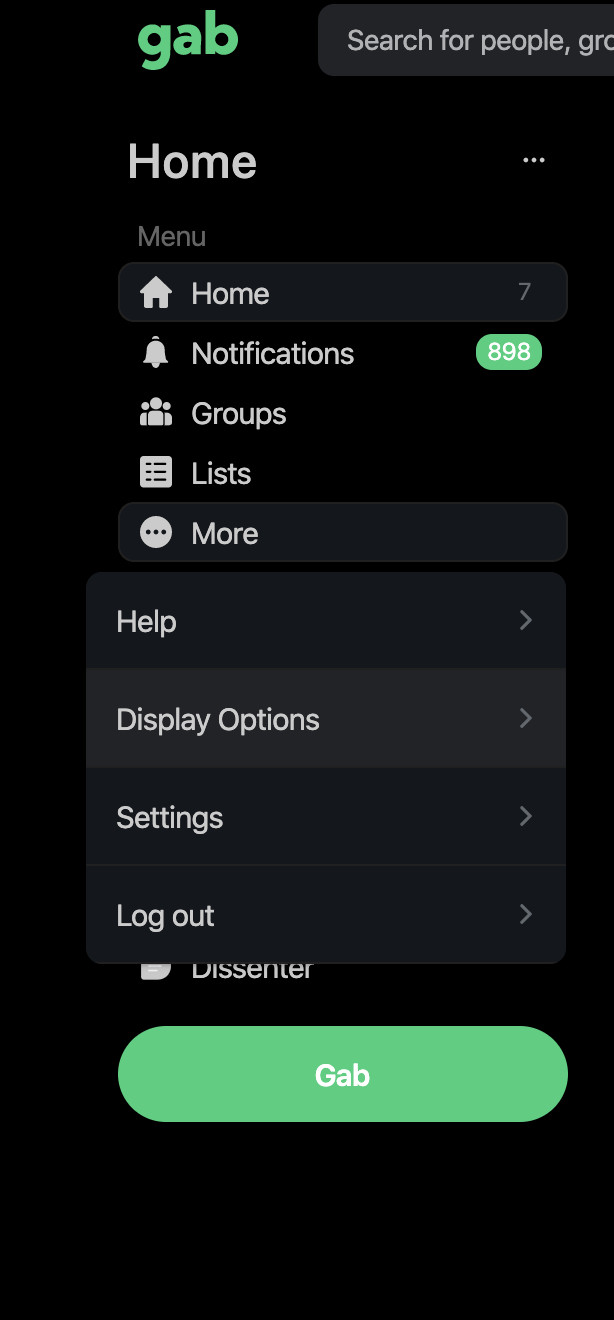
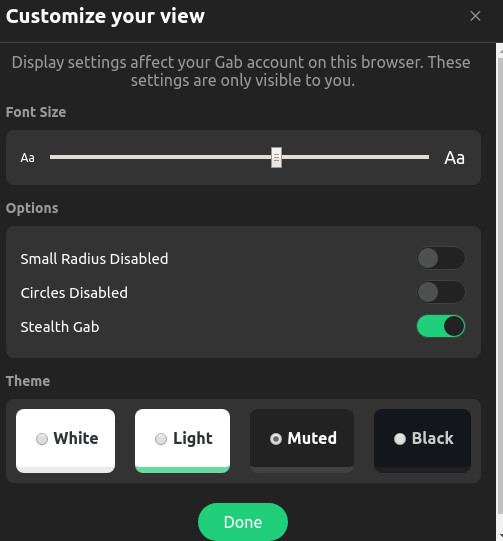
Android Mobile app: Avatar > Display Options > choose font size / options / theme (white, light, muted or black) > tap Done ------- Laptop / Desktop: To switch between color themes you click on "More" followed by "Display Options" on the left side of your screen. Method #1 Click the light bulb icon on the top of the page to switch between the options. Click it again to toggle between white / light / muted/ black.
Once in "Display Options" you will have the option to switch between "White", "Light", "Muted", or "Black" followed by clicking on "Done" to save the changes.
Gab is a social network that champions free speech, individual liberty and the free flow of information online. Gab Social is a fresh take on one of the Internet's most popular applications: social networking. Political speech protected by the First Amendment is welcome on this instance. Gab Social allows free (legal) speech, following legal guidelines as established by the U.S. Supreme Court. All are welcome.
Gab.com strives to be the home of free speech online. We work on Gab Social 100% of the time as our full-time jobs. We positively encourage you to join us on Gab.com. At Gab, we believe that the future of online publishing is decentralized and open. We believe that users of social networks should be able to control their social media experience on their own terms, rather than the terms set down by Big Tech. Gab Social is a fresh take on one of the Internet's most popular applications: micro-blogging and social networking.
The Gab platform has 4 major services: Gab Social, Gab Trends, Dissenter Browser (Windows/MAC/Linux) containing the Dissenter Commenter Extension Gab Chat with public and private rooms.
Projects underway: GabTV to upload videos, Gab ON for live video conferencing.
Gab is banned from the Google Play Store and Apple App Store for refusing to censor speech for Google and Apple. Here's how to install your mobile app.
Get the Gab App On Android:
Launch Chrome, Brave or the browser app installed on your device.
What are the optimum video / image upload specs on Gab?
Please note:
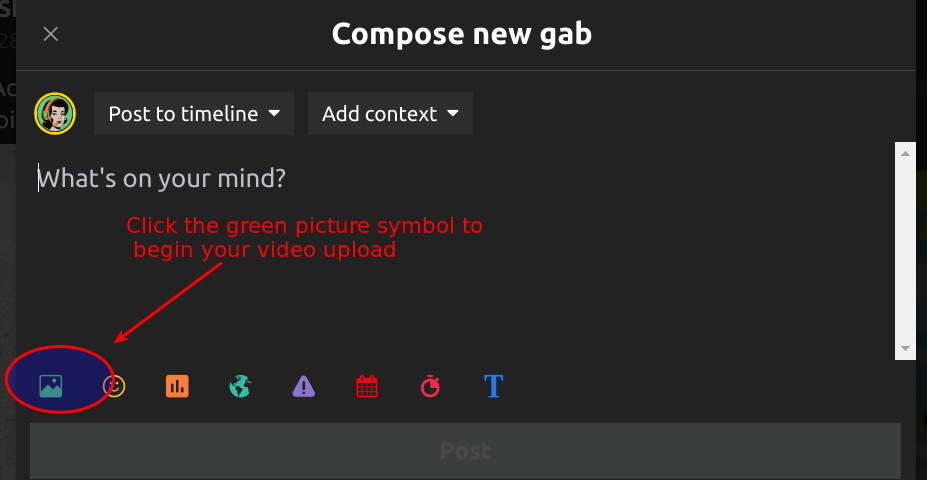
Video are uploaded directly from the post composer using the green picture symbol. You can upload images, photos, memes or videos. Your upload history can be found on your Profile page when clicking on the tabs: Photos, Videos.
Best results when uploading a gab 1) vertical videos (tall aspect ratio) will become Clips; horizontal videos will be horizontal 2) file size max: 250MB (*see below) VideoUpload.png46.81 KB
1) Gab Social Posts Media upload limits: File size: 250MB Non-Pro: 50MB/day; Includes posts, edits, posting fails, post deletions (not reposts)
Image file format: PNG, GIF, JPG
Video file format MP4, MOV Apple QuickTime, Resolution 960x540; bitrate 768 kps
Compression: Lossy image compression has been disabled in the edge in favor of lossless compression, for newly created images.
-------
Image aspect ratio (meme's and photos):
Rectangle: 1920 x 1080px
Square: 1400 x 1400px
-------
ProfileImage Uploads:
(PNG, JPG); *Save your edits
1) Home page Header / Banner MAX 2 MB
Rectangular 3:1 ratio
Oversized files are down scaled to 1500x500px
Profile header: 1330 x 440 (edit 10/23/23)
2) Avatar MAX 5 MB;
Square 1:1 ratio,
Oversized files are down scaled to 400x400px
Group Banner image
Max: 5MB. Accepted image types: .jpg, .png
Group header: 1400 x 460 (Edit: 10/23/23)
------------------------------------------------------------------------------------------------------- *Acceptable formats: MPV4 , MOV, WEBM (not zipped) Files should encode 1920x1080 resolution with h.264 as the codec at 3 Mbps. File size: 250MB max Audio should be AAC at 160Kbps. We don't currently support mp3 / audio files.
Suggested file compression software: Handbrake (free and open source) download here: https://handbrake.fr/ y2mate for You Tube, social media files https://www.y2mate.com/en899
*GabTV was integrated into gab Social and no longer available as a separate site, as of August 2023.
Edit: Oct 23, 2023 Edit: Feb 9, 2023 to include aspect ratio orientation rendering as a Clip, added file compression sites Edit: April 19, 2024 media upload limits
I have a follower that I'd like to remove. How can I do that?
How can I remove another gab user from following me?
There are two methods:
1) If you received a notification/comment/reply from them, click/tap the 3 dots in the post box. Find the 'block' option to block the user. If it's a reply, the 3 dots are directly under the comment.
or-
2) if they haven't posted, but are following you, go to their home page timeline, by click/tapping on their avatar. Click/tap the 3 dots under their banner & select 'block'.
Blocking - removes their post content from your view and they can't see your content.
Additionally, it will remove them from following you. This action is reversible, if you change your mind later.
Muting - removes their post content from your view, but they will continue to follow you and be able to view your content. This action is reversible.
Reporting - If you feel that a post has broken Gab's policies, you can also report any posts to gab moderators for further review. Use the same 3 dots - select "report", then select block.
Gab AI - chat and image generator https://gab.ai *NOTE: This is a separate site! Please use the Sign Up with an email and password. Get your email verification to log in. Email contact: [email protected]
LaptopBrowser Related Problems 1) Force a full refresh (hard refresh) for the site. This can be achieved by pressing CTRL + F5 keys at the same time on your favorite browser (Firefox, Chrome, Explorer, etc.) 2) Clear the temporary cache and cookies on your browser to make sure that you have the most recent version of the web page. This is generally found in your browser settings menu. Many have set their cookies and cache to clear upon exit. Restart your browser and check for any browser updates. 3) Log into gab.com
Your browser: If you try to load a website and you see a blank screen, your browser might be the issue. Try to switch browsers the next time you encounter unexpected behavior in web apps, inconsistent scrolling, or elements that don’t display correctly. Check for any ad blockers that may be preventing the site from loading.
Mobile devices * Uninstall any old 3rd party apps from Mastodon, such as Tusky, Musky or Roma
1) Restart your device 2) Install the Gab app https://help.gab.com/article/gab-app-mobile 3) You may need to try a different browser
If the site is DOWN, please wait for the site to be restored. Generally, this is due to site maintenance and is short term.
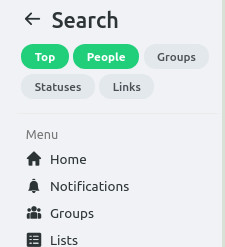
Gab search is under development. -Search for people -Search for groups -Search posts of your own + folks you follow -Search results now show link/url results
Enter your search text, click the magnifying glass or hit the enter key.
On a gab post with a link. "View Link Feed" click on any link that has a link in a post. Search results will reveal other posts with that link.
Since Gab launched in August 2016 the logo has been a frog for a variety of reasons: 1. Exodus 8:1-12 2. Psalms 78:45 3. Frogs have many symbolic meanings including cleansing, healing, renewal, rebirth, fertility, abundance and metamorphosis.